How to Book a Hotel with Accor Points


To book a hotel with Accor points, log in to Accor Live Limitless (ALL) on all.accor.com, search your dates, pick a room that allows Pay with your points, then burn ALL Reward points on the confirm page. Points only move in blocks of 1,000, and 1,000 Accor points = €20.
This walkthrough covers Novotel, ibis, Mercure, Pullman, Sofitel, Fairmont, and other Accor brands. The screenshots are a real Novotel Goa Panjim booking for 3–5 October 2026.
1. Log in to Accor ALL
Open all.accor.com and sign in. When you are logged in, your first name shows in the top right and the homepage greets you. Member rates and the “Pay with your points” option only work after login.
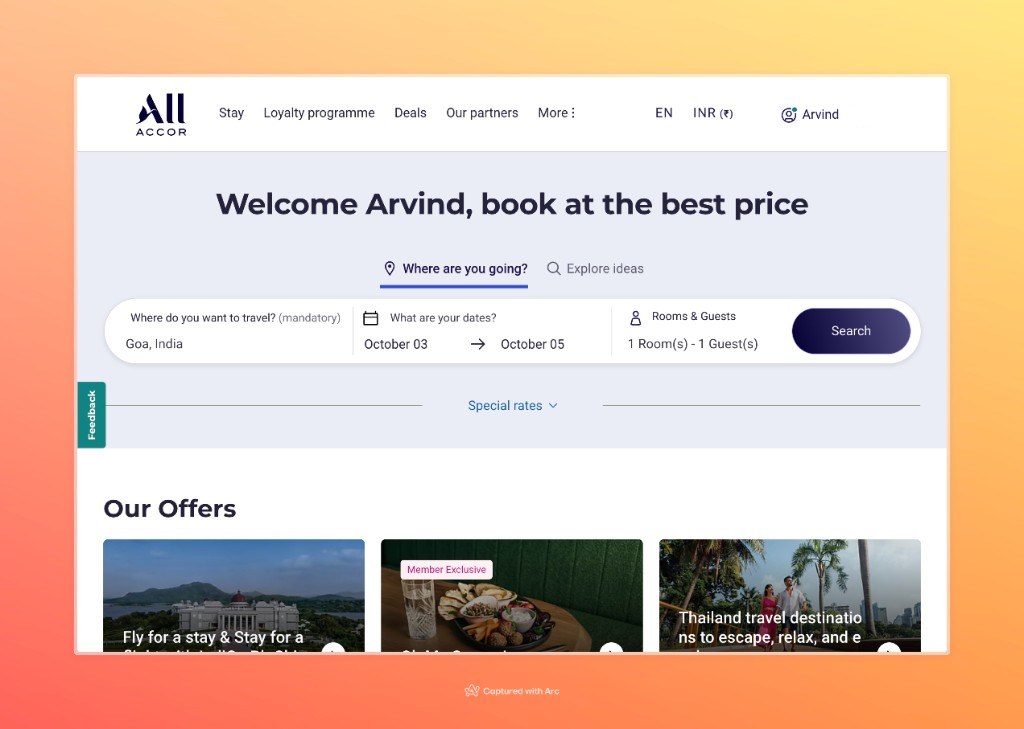
2. Enter destination, dates, and guests
Fill in where you want to go, either a city or a specific hotel name, then your check-in and check-out dates and how many rooms and adults. Click Search.
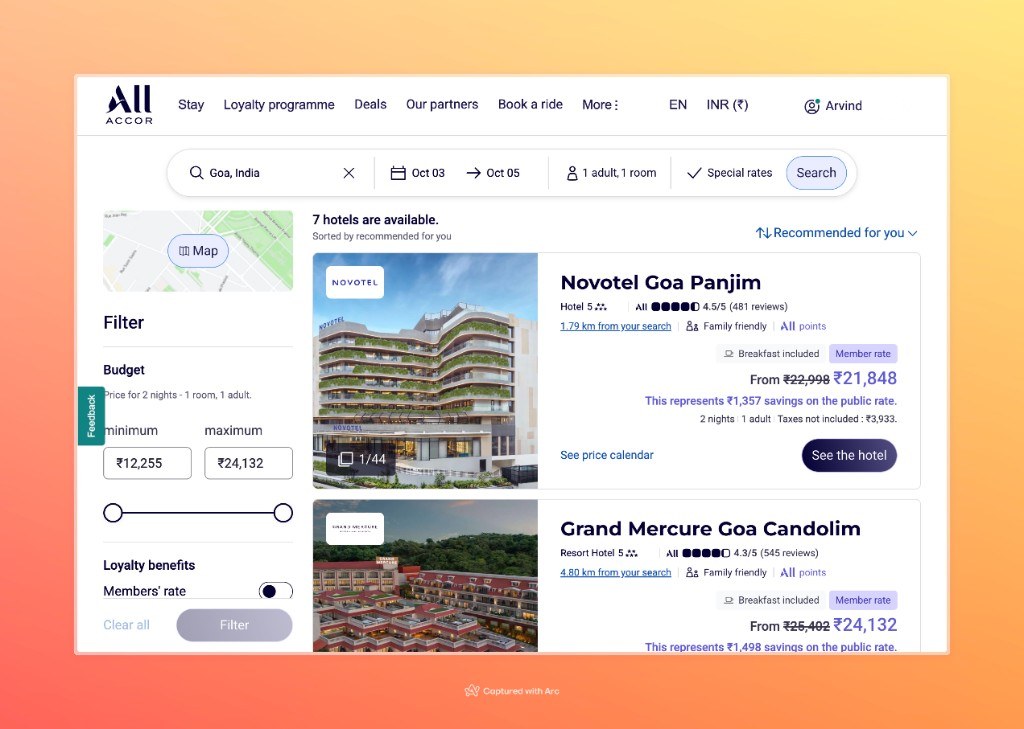
3. Pick a hotel from the list
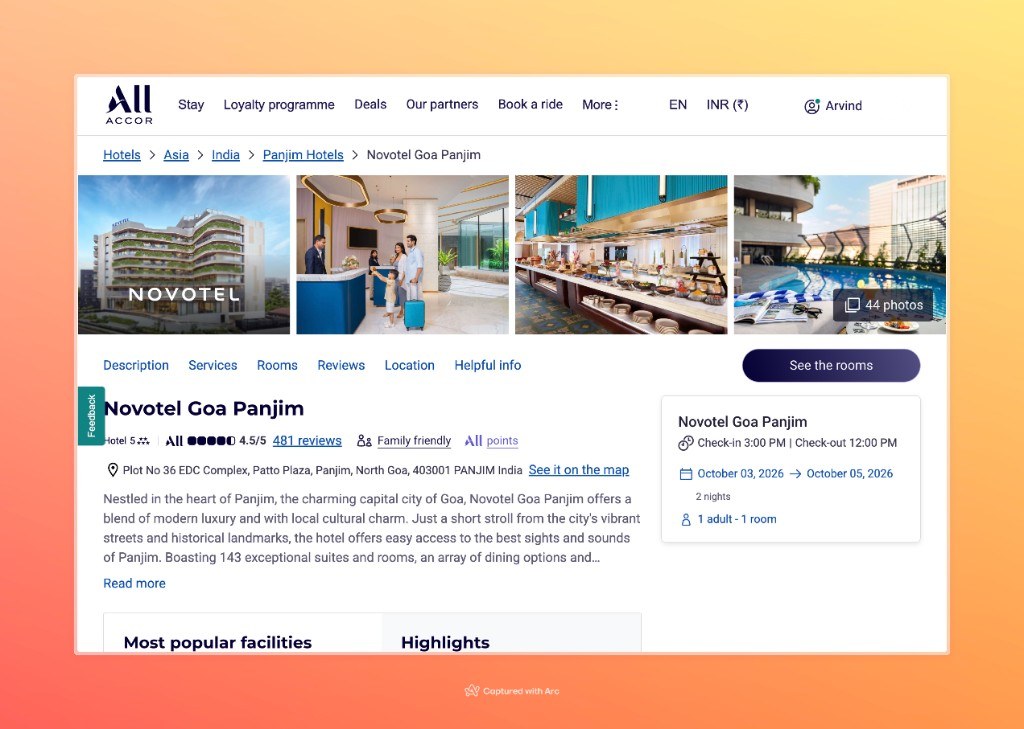
You will see hotels for that city. Look for the ALL points tag if you plan to burn points. Open the hotel you want. Here that is Novotel Goa Panjim.
4. Choose your room and rate
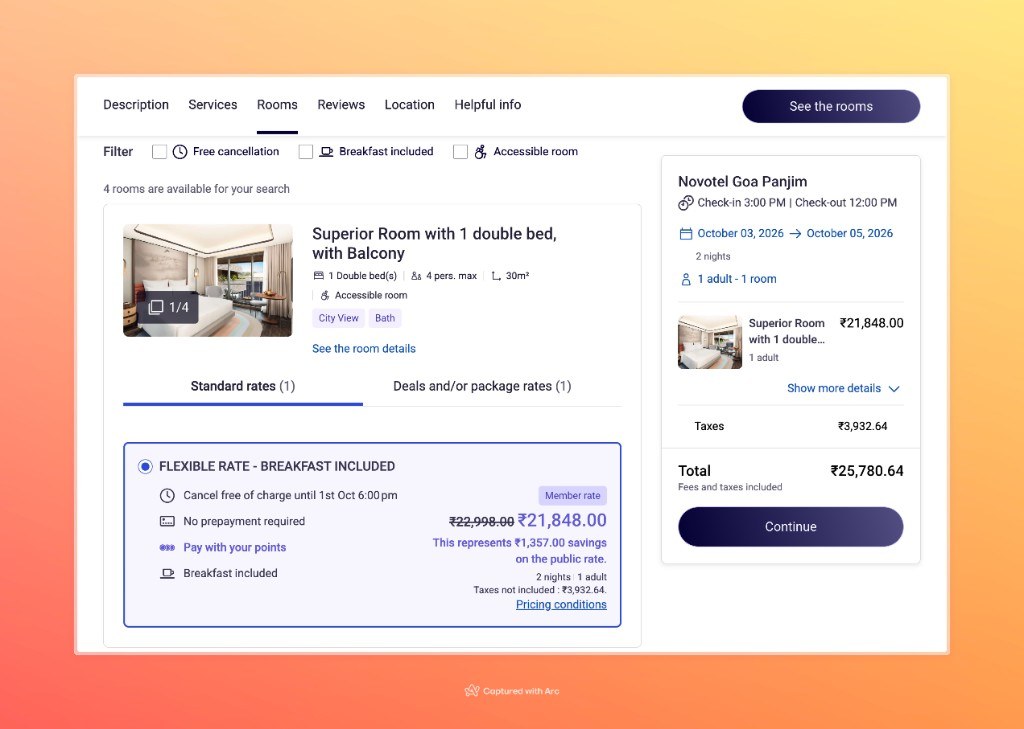
Pick the room type and a flexible rate when you can. Rates that allow points usually say Pay with your points. Check the price breakdown on the right (room + taxes = total), then Continue.
5. Check your details and click Confirm
Accor shows your guest information and the stay summary again. Read the total, then click Confirm to move to the payment / guarantee page. That is where you apply points.
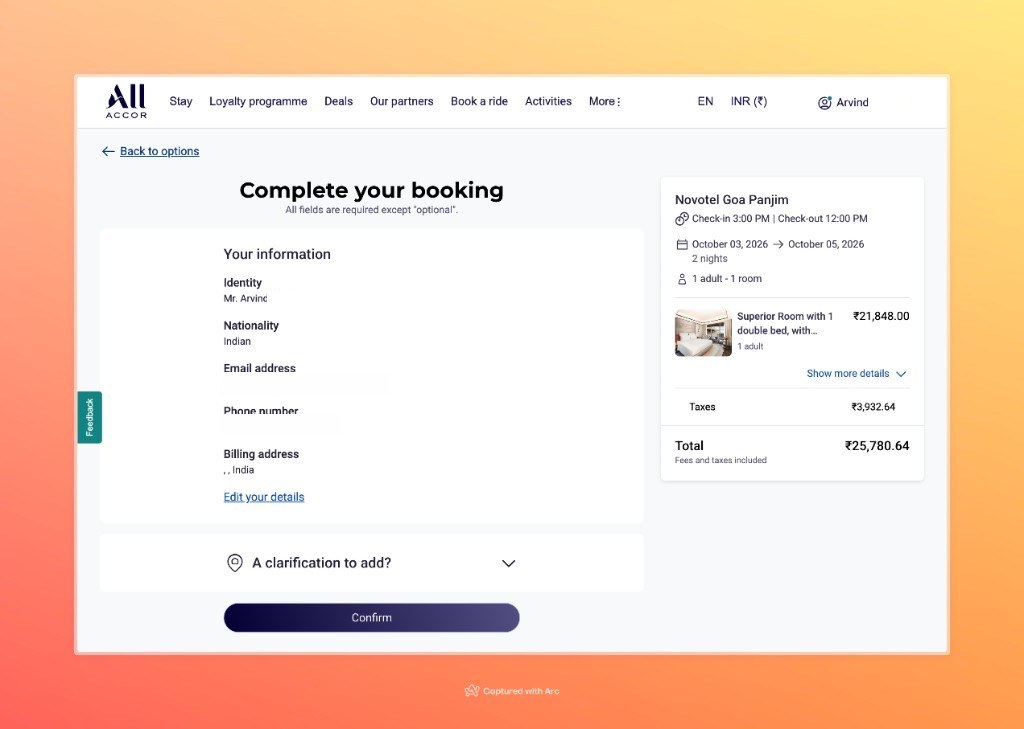
6. Use Reward points on the payment page
On Confirm your reservation you will see a points box with + and − buttons, labelled something like “Save up to ₹… Thanks to … Reward points”. That is how you burn Accor points for the hotel stay.
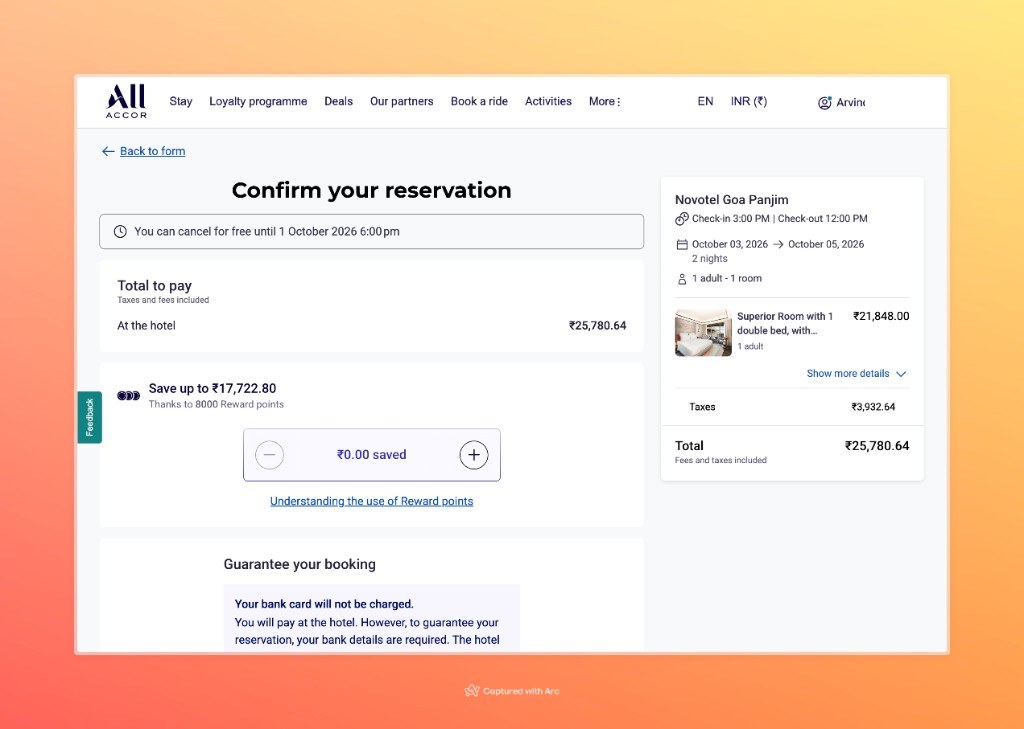
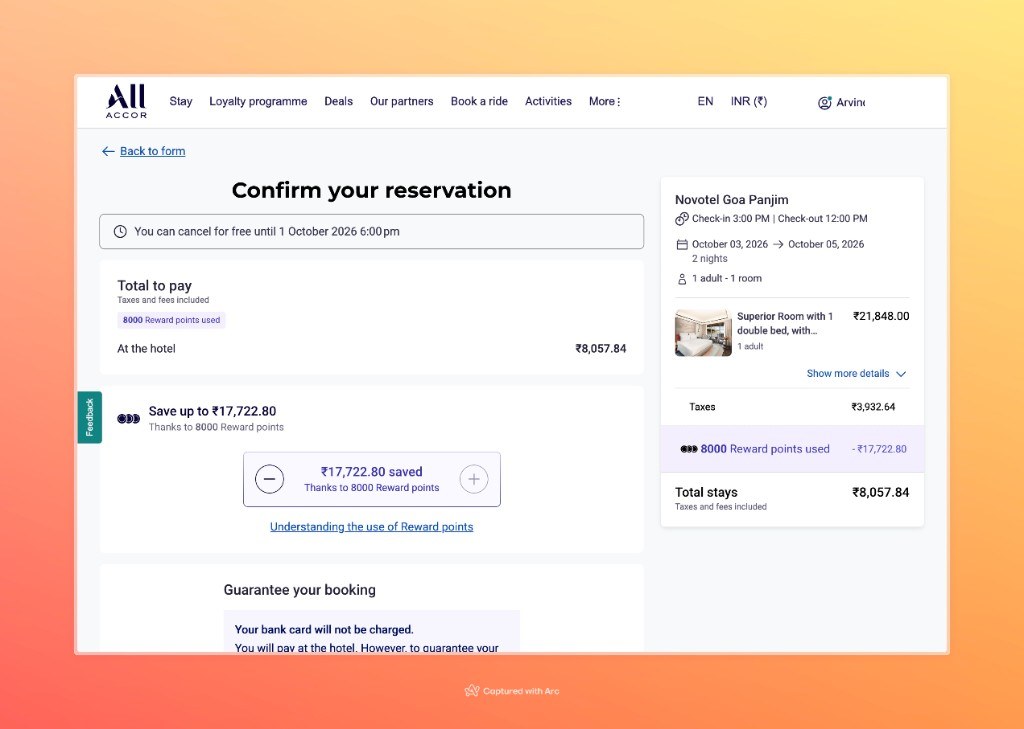
Press + to apply points. In this example, 8,000 Reward points saved ₹17,722.80 and left ₹8,057.84 to pay at the hotel.
Full points vs partial points
How much of the bill you can cover with points varies by hotel.
- Some hotels let you cover the whole bill with points when you book.
- Some hotels only let you apply part of the bill in points online (like the Goa example).
- Partial points does not mean you must pay the leftover on your card right now. Choose pay at the hotel. Your card only guarantees the booking; Accor often says it will not be charged yet.
When you arrive, pay the remaining cash at check-in, or tell the front desk you will settle at check-out.
Pay extras at the hotel with points too
At every Accor hotel you can keep adding to the room bill (spa, restaurant, minibar) and settle everything together.
- Ask the spa or restaurant to bill to your room.
- Do the same for other charges you want on the folio.
- At check-out, pay the full bill. You can use Reward points on that final amount (again in 1,000-point blocks), and pay any leftover in cash or card.
How to get Accor points from credit cards
If you do not have enough ALL Reward points yet, you can earn points on a credit card and transfer them into Accor.
Two cards that can feed Accor (confirm the live transfer in the issuer app before you apply):
More transfer routes (HDFC, SBI, and others) are listed in the Accor Live Limitless guide.
Quick FAQ: booking hotels with Accor points
How do I book a hotel with Accor points?
Log in on all.accor.com → search → hotel → room → Confirm → use the Reward points + / − → finish. Pay leftover cash at the hotel if needed.
How many Accor points equal €20?
1,000 Accor ALL Reward points = €20 on eligible charges. Always burn in multiples of 1,000.
Where do I redeem Accor points for a hotel?
On Accor’s site (all.accor.com) while logged into ALL. Apply points on the confirm / payment page after you pick the room.
Do I have to pay the remaining amount online?
Usually no. If the page says At the hotel, your card is only a guarantee. Pay the cash balance when you stay.
How do I get Accor points from a credit card?
Use a card that transfers to Accor ALL, such as HSBC TravelOne or Kotak Air Plus. Earn on the card, then transfer only when you are ready to book.
Want TopCashback on the same booking?
Start from TopCashback, then follow these Accor steps. See the Accor via TopCashback guide.